1
Connect every printer
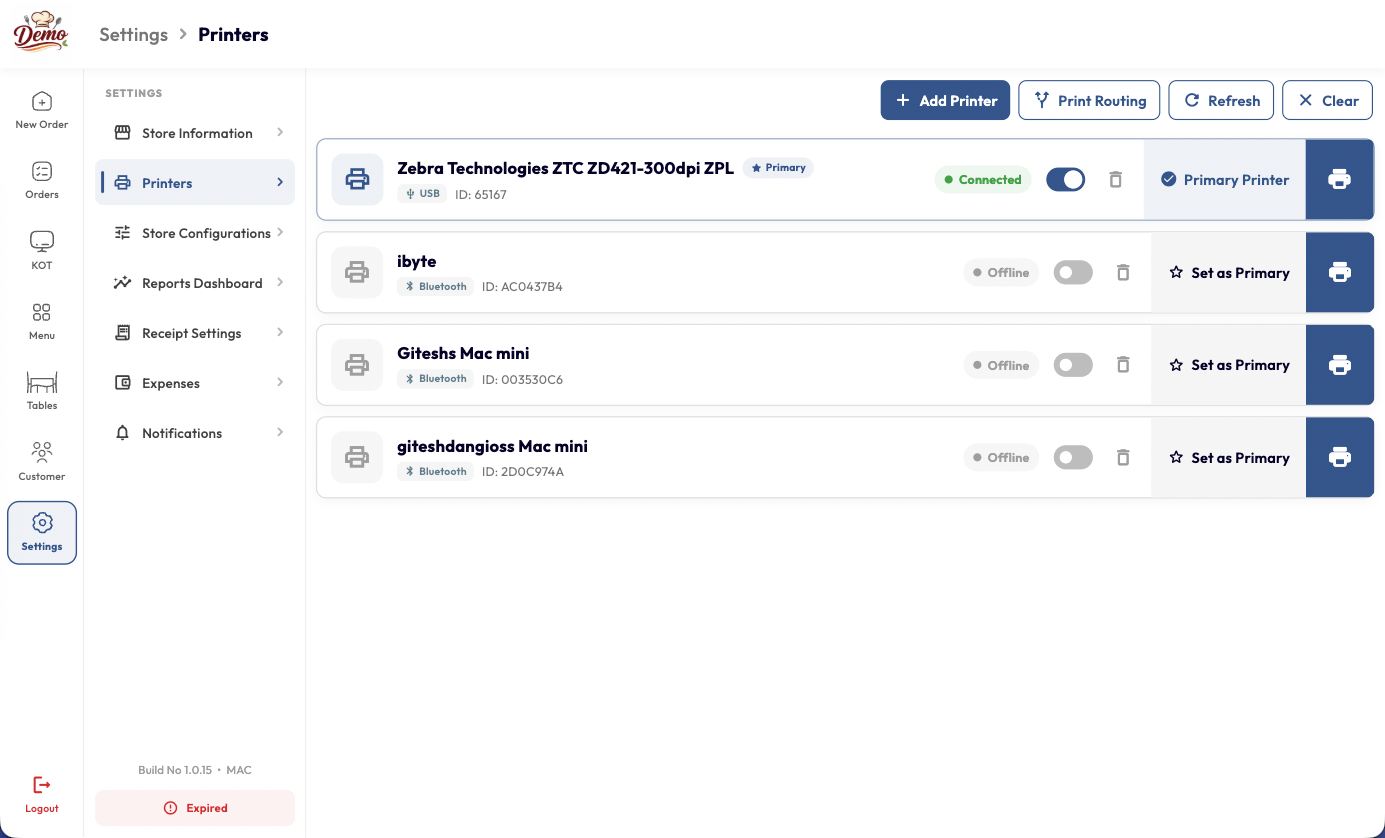
Add printers over USB or Bluetooth, set one as primary and fire a test print. Connected and offline devices are labelled, so you know what is working before service starts.
Take orders, manage menus, track inventory, and grow your restaurant — all from one platform trusted by 18,000+ restaurants worldwide.
We’re dedicated to helping restaurants like yours thrive. Our journey began with a simple yet powerful idea: to create a point-of-sale system that’s both intuitive and robust. We believe that restaurant management shouldn’t be complicated, and that’s why we’re committed to delivering innovative solutions that make your life easier.
Get StartedFrom setup to your first order — go live in minutes with expert training and 24/7 support included.
Create your YOP account on the web or install the app. No specialized hardware needed — runs on any PC, tablet, or smartphone.
Add items, prices, modifiers, and categories in one place. Update anything in real time across every device and channel.
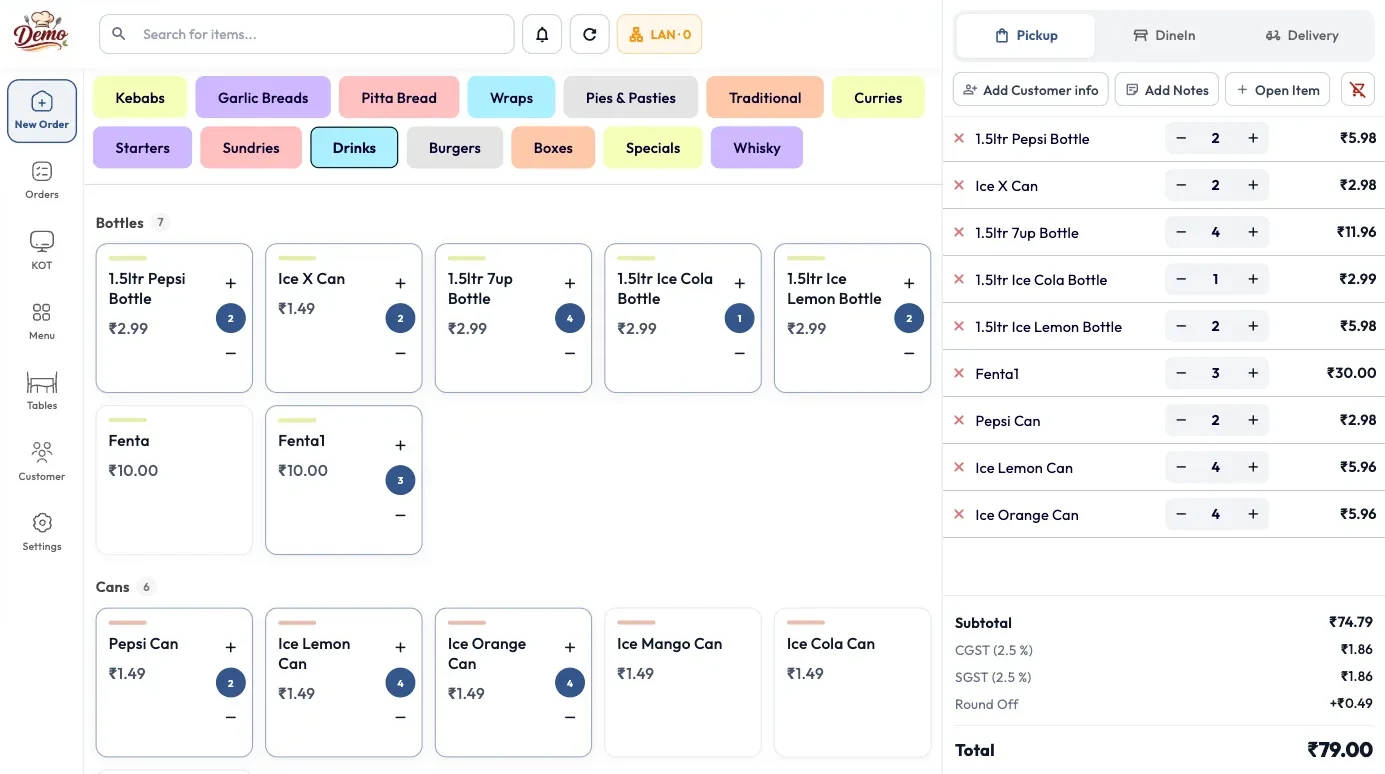
Accept dine-in, takeaway, online, and delivery orders from one screen. Fires directly to the kitchen printer via KOT.
Real-time reports on sales, inventory, and customers. Make smarter decisions with data from every register and every channel.
Our restaurant software is designed to help you streamline operations, enhance customer experience, and drive growth. Here’s why you should choose us:
Manage your restaurant’s operations, from ordering to inventory management, in one intuitive platform.
Seamlessly manage online orders, delivery, and pickup with a POS system.
Access your data anywhere, anytime, on any device.
Run your POS in multiple languages to cater to a global audience.
Access real-time sales data, inventory levels, and customer insights with a POS system.
Get expert support and training to ensure a smooth transition to your new POS system.
From taking orders to accepting payments and managing multiple locations, YoPOS keeps your entire restaurant running smoothly.
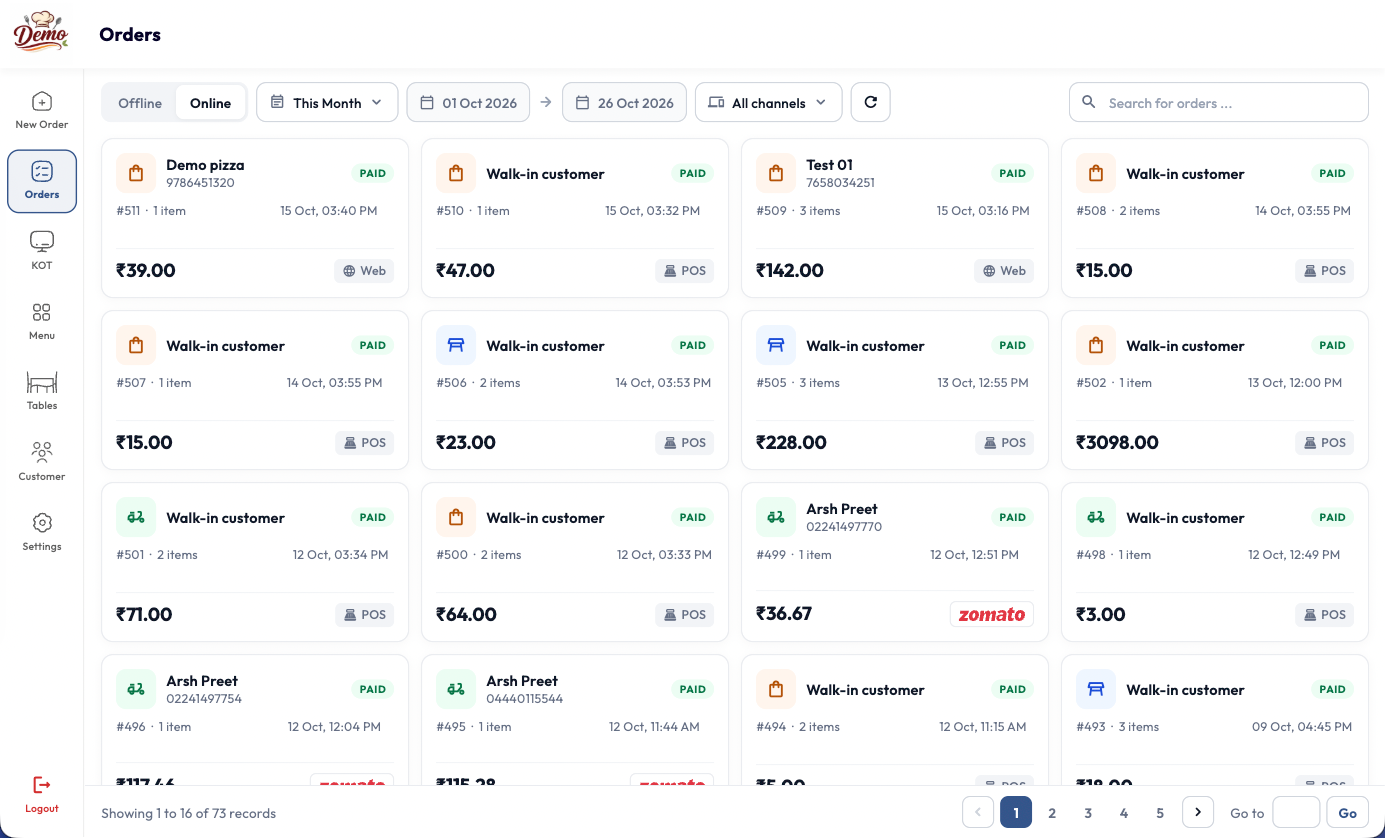
Handle dine-in, takeaway, online, and delivery orders from one simple POS. YoPOS keeps your front-of-house and kitchen connected, so every order reaches the right station without the chaos.
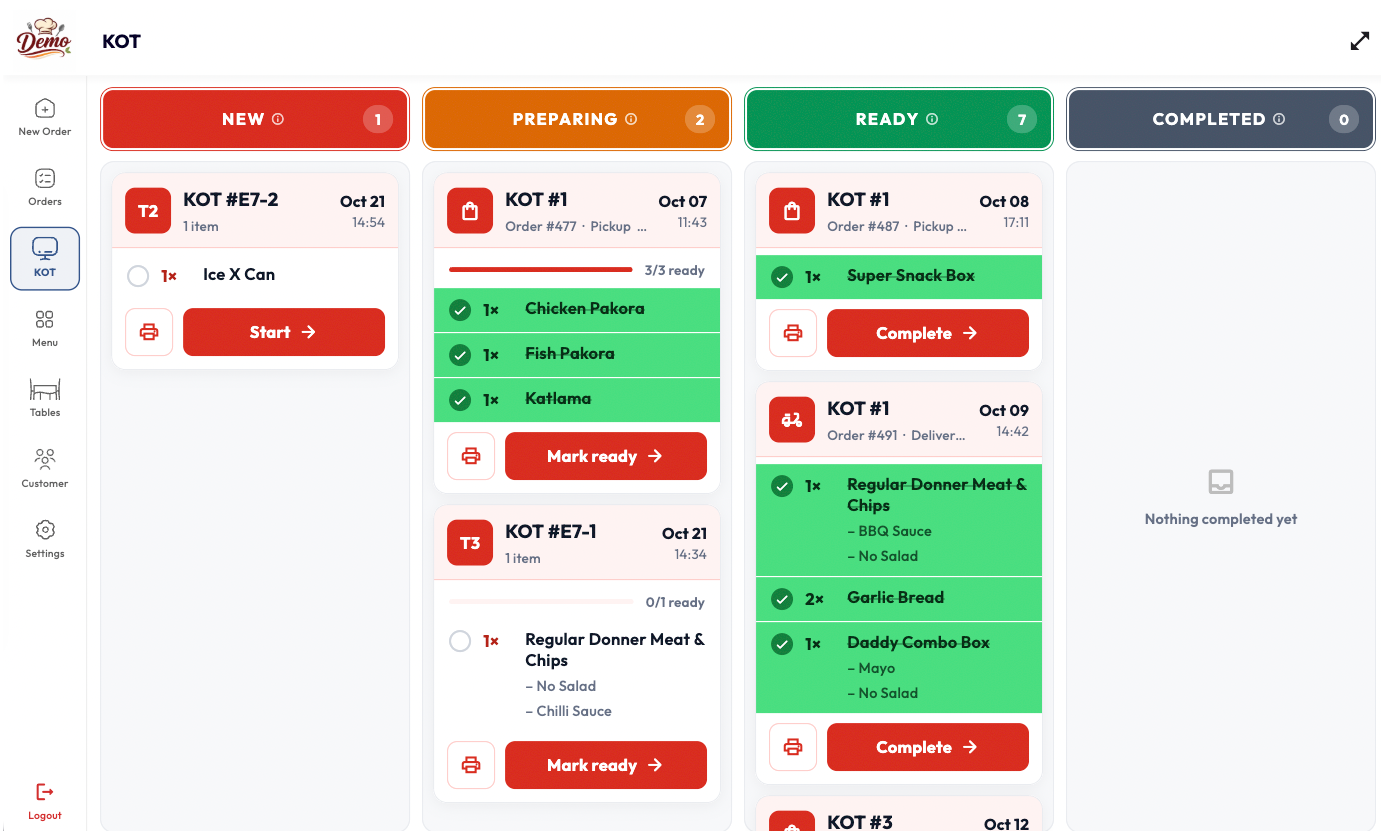
Every ticket moves through four clear lanes, so the kitchen and the pass are always looking at the same thing. Nothing sits forgotten on a spike, and nothing goes out twice.
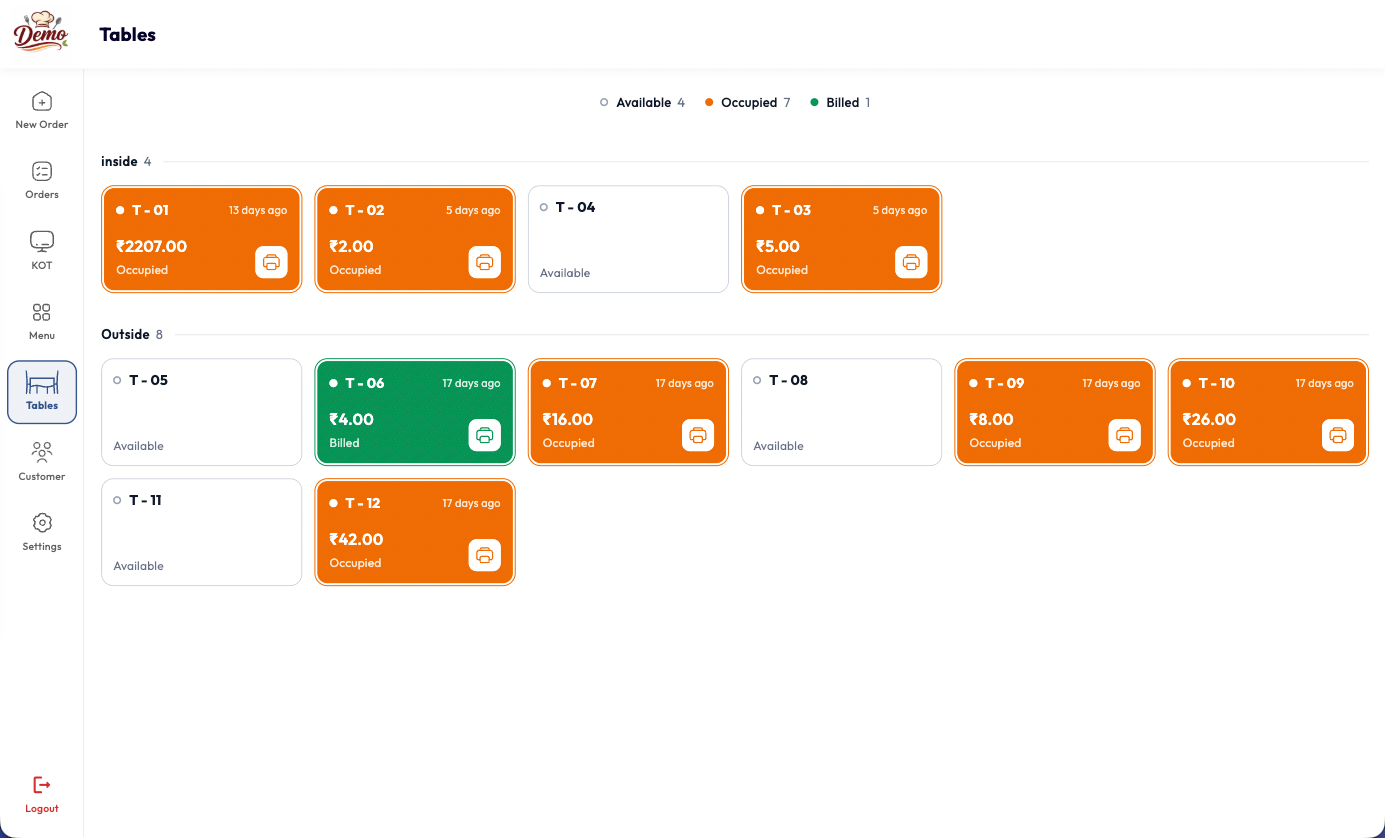
Your whole floor sits on one screen, grouped by area and colour-coded by status. Staff can see which tables are free, which are still eating and which are waiting to pay — without walking the room.
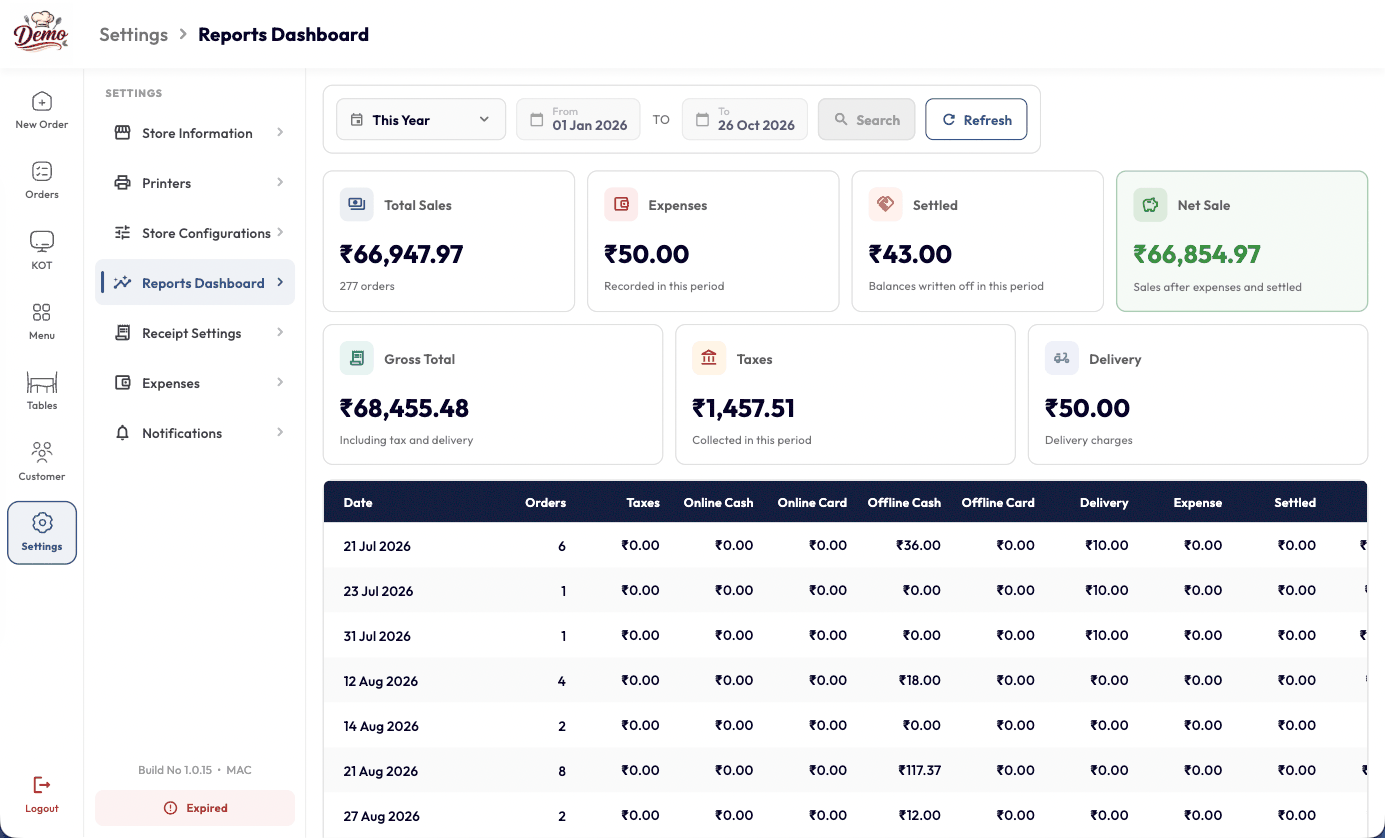
Pick a date range and YoPOS adds it all up — sales, expenses, taxes, delivery charges and what is actually left once everything settles. No spreadsheet to rebuild at the end of the month.
Want to see it running on your own menu?
Book a 30-minute demoFrom food trucks to fine dining, YOP adapts to how you serve. Take orders faster, run leaner kitchens, and grow your restaurant with data.
Table-side ordering, course timing and wine lists — so your floor staff never leave the guest.
Explore Fine DiningFast counter service & loyalty
Multi-brand aggregator sync
Tab management & happy hours
Mobile POS with offline mode
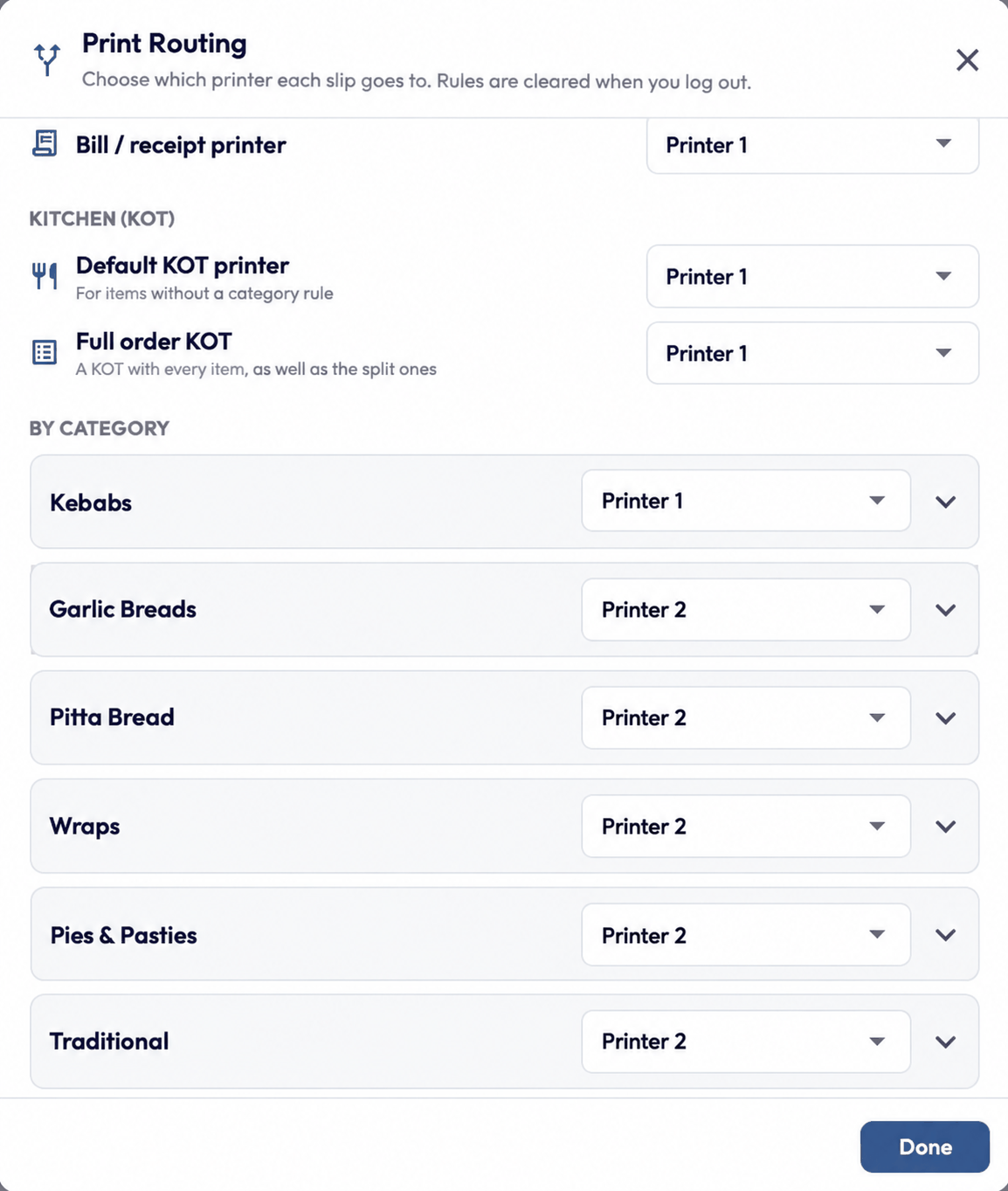
Connect your printers once, then tell YoPOS which printer each slip should come out of. Kebabs print at the grill while garlic breads print at the bakery station — from the very same order.
Add printers over USB or Bluetooth, set one as primary and fire a test print. Connected and offline devices are labelled, so you know what is working before service starts.
Open Print Routing and choose a printer for the bill, for the default KOT, for the full-order KOT, and for any menu category that needs a station of its own.
The guest gets a branded bill with tax, totals and a Scan & Pay QR. The kitchen gets the same order with no prices at all — just quantities, modifiers and the allergy note.
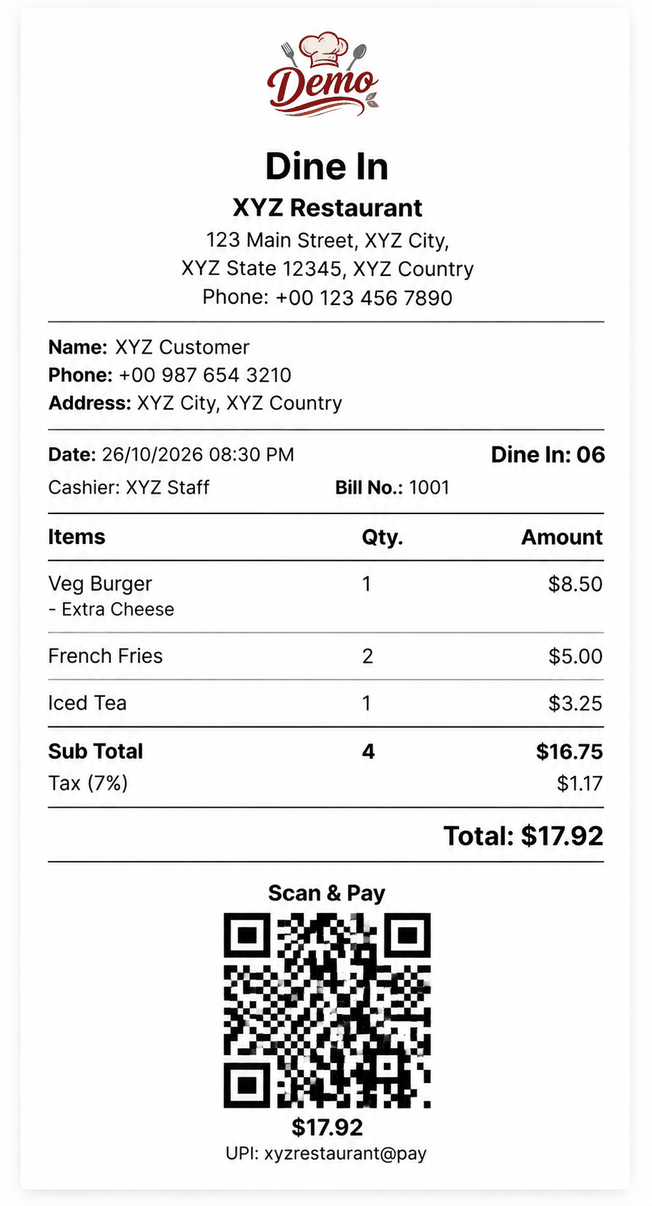
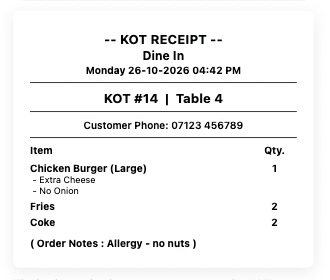
No prices — only what to cook.




Billing is significantly faster since we switched. Staff picked it up in one shift, and the kitchen display keeps every order on track. Went with the annual plan — totally worth it for a single-location café.
Being able to check sales and inventory from my phone changed everything. I don't have to be on-site to know how the shift is running. The reports genuinely help me make better decisions each week.
We run three brands out of one cloud kitchen and YOP handles all of them from a single dashboard. Aggregator sync just works — no more juggling separate apps for each partner. Huge time saver.
The interface is genuinely user-friendly — new staff are productive from day one. Real-time reporting has become part of every morning standup. Best decision we made for the kitchen this year.
Learn more about plans, setup, and payments with quick answers to the most common questions.
Our support team is here to help you get the most out of YOP.
Contact Support →

Sign up for a free trial, add your menu, and you can take your first order in minutes. Our team also offers guided onboarding and staff training if you'd like a hand.
No — YOP runs on any PC, tablet, or smartphone. It also works with thermal, KOT, and barcode printers you already own, so there's no forced hardware purchase.
Yes — customize your menu categories, modifiers, prices, and receipts with your restaurant's logo, colors, and multi-language content. Update anything in real time across every device.
YOP keeps billing without missing a beat. Every order you take offline is queued locally and syncs automatically the moment you reconnect.
Yes — 40+ integrations via YOP Marketplace, including food aggregators, payment gateways, accounting tools, scheduling, and logistics partners. Every channel flows into one dashboard.
Yes, cancel anytime directly from your dashboard — no hidden charges, no cancellation fees.
Running a successful restaurant requires more than serving delicious food. From managing customer orders and generating bills to tracking inventory…
Welcome to WordPress. This is your first post. Edit or delete it, then start writing!